


Opera Mini: Fast Web Browser
4.633.55K Reviews
App Specs
- Version
- Varies with Device
- Updated On
- License
- Free
- Downloads
- 500,000,000+
- Developer
- Opera
- Categories
- Communication
- Platform
- Android, iOS
Screenshots
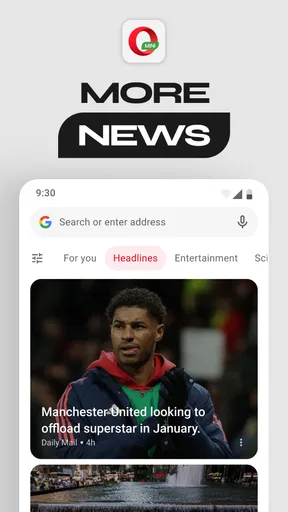
 Analysis by AppCompare
I first reach for a compact browser like Opera Mini when a page is taking too long to load or I want to avoid burning through mobile data. In everyday use, the appeal is practical: it brings browsing, downloads, ad blocking, night viewing and football content together in a single app. It is a free communication app from Opera, and its 4.6 average from around 10 million ratings suggests it has found a large audience. That popularity is useful context, but the real question is whether its particular approach suits the way you browse.
Why Choose Opera Mini?
One place people can get stuck is the trade-off between saving data and seeing a website exactly as its creator intended. Opera Mini is designed to make browsing more efficient, but pages that rely on complex layouts or interactive elements may not always behave like they do in a full-featured desktop-style browser. If a page looks incomplete, I try reloading it and checking whether the site offers a simpler mobile view before assuming the connection is at fault. For work that depends on a particular web app, I keep a second browser available rather than treating Mini as a universal replacement.
So, what’s the big deal about Opera Mini? Firstly, it’s all about speed. We’re talking about a browser that compresses pages up to 90%, which means you’re saving data and getting pages to load faster than you can say "buffering." Whether you're on a 2G network or trying to conserve your data plan, this app has got your back.
Before relying on it for a trip or a commute, I check the basics: the browser is connected to the network I intend to use, the page has finished loading, and any file I need is actually available in the download area. Data-saving tools are most useful when I choose them deliberately; a compressed page can be handy for reading, while a site that depends on precise images or dynamic elements may be better opened in a standard browser. That small check prevents a slow connection from being mistaken for a broken download or a missing page feature.
Another cool feature is its ability to block ads. I know, right? Those pesky ads that slow down your browsing experience don’t stand a chance with Opera Mini. With its built-in ad blocker, you get to enjoy a cleaner, more streamlined browsing session.
Features That Stand Out
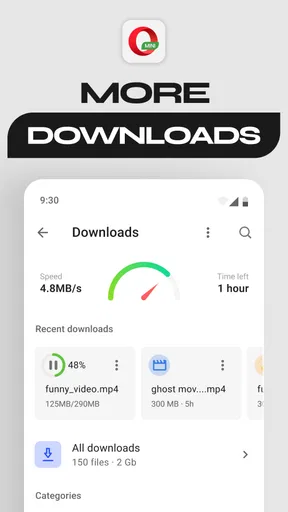
For a routine day, I might use the browser to read a few news pages on a limited connection, then save a document while I’m on reliable Wi-Fi so I can find it later on my phone. Downloads are easier to manage when I give files recognizable names and check the download area before starting a second copy. If a download appears stuck, I first confirm the connection is still active and revisit the original page; repeatedly tapping the download button can create duplicates rather than solve the cause.
Alright, let’s dive into some of the standout features that make Opera Mini a top choice for many users:
Worth Reading Before You Choose

Flipboard Shows What News Apps Must Do Beyond the Feed

Switching to Android Auto Means Rethinking Your Driving Routine

Google Calendar Makes a Crowded Week Easier to Manage

Ludo King Makes the Most of the Minutes Between Plans

Baby Panda World Brings Quick Play to Modern Phones, but Its Game Library Feels Busy

ESPN’s Live Game View Makes Following Close Games Easier
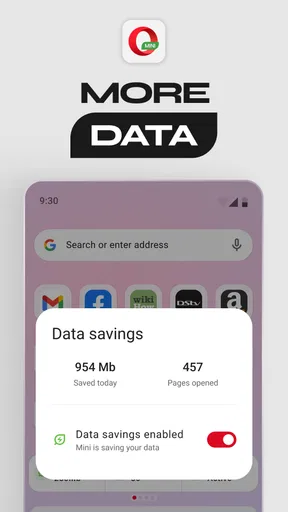
- Data Saving Mode: This is a lifesaver for anyone on a tight data plan. You can choose between "Extreme" and "High" modes depending on your needs, and trust me, it makes a noticeable difference.
- Smart Downloading: Opera Mini doesn’t just stop at browsing. It also makes downloading files a breeze. With its smart downloading feature, you can keep track of downloads and even start them when you're back on a stable connection.
- Night Mode: Browsing in bed? No problem. Switch on the night mode to reduce eye strain and keep your late-night sessions easy on the eyes.
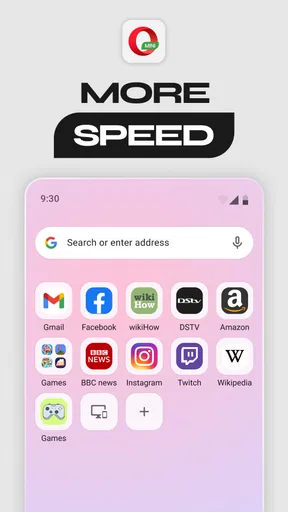
- Customizable Homepage: Get your favorite sites and bookmarks in one place for easy access. It’s like having a personalized internet dashboard.
User Experience and Design
Opera Mini makes most sense as a quick, focused browser rather than the only place I do everything online. I’d recommend it to someone who often reads articles, checks basic sites, or wants a lighter-feeling option for mobile browsing. If your normal day involves elaborate web-based forms, online editing, or pages that must render with every desktop feature intact, a mainstream full browser may be a safer primary choice. The useful distinction is not “good browser versus bad browser”; it is whether conserving data and getting to ordinary pages quickly matters more than maximum site compatibility.
Let’s talk about the user interface. Opera Mini keeps it simple and intuitive. You won’t find yourself lost in a maze of settings or options. Instead, everything is laid out in a way that just makes sense. The minimalist design ensures that even the least tech-savvy among us can navigate with ease.
For a more dependable routine, I keep frequently used sites on the homepage and use bookmarks for pages I return to, instead of leaving a long trail of open tabs. That makes the browser easier to pick up after a break and reduces the chance of reopening the wrong page. Night Mode is useful when I’m reading in a dim room, but I still adjust the screen brightness separately; a browser display setting cannot make an overly bright phone comfortable by itself.
One of the things that stood out to me was the browser’s ability to sync across devices. So, whether you’re switching from your phone to tablet, your bookmarks and tabs are right where you left them. It’s seamless and adds a layer of convenience that many other browsers lack.
Performance: Does It Deliver?
Opera Mini is aimed at people who value speed and efficiency on mobile, while the usual full-featured browsers tend to prioritize compatibility with a wide range of sites and web tools. That difference matters most when a page does not load as expected. I try the same address in another browser: if it works there, the issue may be how that site interacts with Mini; if it fails in both, the network or the site itself is a more likely culprit. This quick comparison is more useful than repeatedly refreshing one browser without changing anything.
In terms of performance, Opera Mini definitely lives up to its name. It’s fast, responsive, and doesn’t crash—qualities we all look for in a reliable browser. Even with multiple tabs open, the app remains stable and efficient. You won’t be left waiting around for pages to load, which is a huge plus in today’s fast-paced world.
When a page or download seems to stall, I work through the simplest checks first: confirm that other sites can open, reconnect to the network if needed, and try loading the page again. If only one site is affected, I avoid changing several browser settings at once, because that makes it harder to tell what helped. For a file that matters, I wait until the connection is steady and verify that the download has completed before closing the browser. These small habits are especially helpful on a commute, where a connection may drop temporarily as the phone moves between coverage areas.
Another aspect worth mentioning is its security features. Opera Mini provides a secure browsing experience by offering features like private browsing and avoiding tracking scripts. It’s always reassuring to know your data is safe, especially when you're surfing the web from various networks.
The Final Verdict
Opera Mini is not automatically the cause when a site behaves oddly. A weak or interrupted connection, a problem at the website, or a page built around advanced interactive features can all produce similar symptoms. I check another site first, then try the affected address in a different browser if it matters. Private browsing is useful for a session I do not want kept in the usual browsing history, but I do not treat it as a substitute for careful account or payment habits.
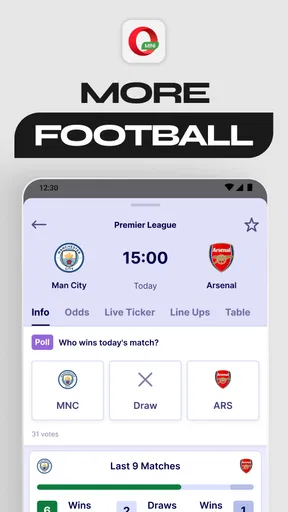
For football fans who want browsing and football-related content close at hand, that emphasis may be a welcome extra. It is still worth thinking about what you actually need from a browser: someone who mainly follows links and reads short articles may appreciate the streamlined feel, while a person who watches lots of rich media or relies on intricate web services may prefer a browser geared toward broader compatibility. Ad blocking can make pages less cluttered, though it can also change how some sites display or function; if a page becomes confusing, testing it in another browser is a sensible way to separate a site issue from a browser setting.
So, what’s the final word on Opera Mini: Fast Web Browser? If you’re looking for a browser that’s lightweight, fast, and efficient, this is a fantastic choice. It’s perfect for users who are data-conscious or those who find themselves in areas with less-than-ideal internet speeds.
It has been available since November 24, 2014, is rated for Everyone, and has passed the milestone of 500 million installs. Those figures show how established it is, but they do not mean it will be right for every browsing habit. I would start with it as a practical everyday option, then keep a conventional browser handy for the occasional site that needs more complete compatibility. That way, its strengths—data-conscious browsing, a cleaner page view and convenient downloads—do the work they are best suited for, without forcing every task into one app.
Whether you’re a casual browser or someone who spends hours online, Opera Mini provides an experience that’s hard to beat. With its array of features and user-friendly design, it’s an app that truly delivers on its promises. So, why not give it a spin? You might just find it’s exactly what you’ve been looking for.
Pros
- Data-saving mode reduces data usage significantly.
- Fast loading speeds for quick browsing.
- User-friendly interface that's easy to navigate.
- Built-in ad blocker enhances browsing experience.
- Supports offline reading for convenience.
Cons
- Customization options are somewhat limited.
- Occasional glitches with video playback.
- Not all sites render perfectly in extreme mode.
- Limited support for some modern web features.
- Frequent updates might disrupt user settings.
FAQs for Opera Mini: Fast Web Browser
What makes Opera Mini faster than other browsers?
Opera Mini uses advanced data compression technology to speed up web browsing. By compressing website data up to 90% before it reaches your device, it reduces loading times and saves on data usage. This makes it particularly effective for users in areas with slower internet connections or limited data plans.
Is Opera Mini secure for browsing sensitive information?
Opera Mini offers several security features, including private browsing and ad-blocking, which enhance your online safety. However, it may not support all advanced security protocols used by larger browsers. For transactions or sensitive data, ensure the website uses HTTPS and consider additional security measures.
Can I use Opera Mini across different devices?
Yes, Opera Mini supports syncing across multiple devices. By signing into your Opera account, you can sync bookmarks, open tabs, and browsing history between your phone, tablet, and computer, ensuring a seamless browsing experience no matter where you are.
How does Opera Mini help in saving data?
Opera Mini is designed to save data through its unique compression technology. It reduces the size of web pages and media, allowing you to browse more while using less data. The built-in data tracker feature lets you monitor your daily data usage, helping you stay within your limits.
Does Opera Mini support extensions like other browsers?
Opera Mini does not support extensions in the same way desktop browsers do. However, it offers built-in features like ad-blocking, a night mode, and a data saver, which provide some of the functionalities that extensions typically offer, enhancing browsing without additional downloads.


